Website Media Downloader Extension - Download Video, Audio, Images & Streams Directly from Your Browser
Website Media Downloader is a free, privacy-focused browser extension that automatically detects and downloads videos, audio, images, and streams directly from web pages, solving the common frustration of saving online media. It processes all media locally within your browser, ensuring your data remains private without relying on external servers.
Published Date: October 6, 2026
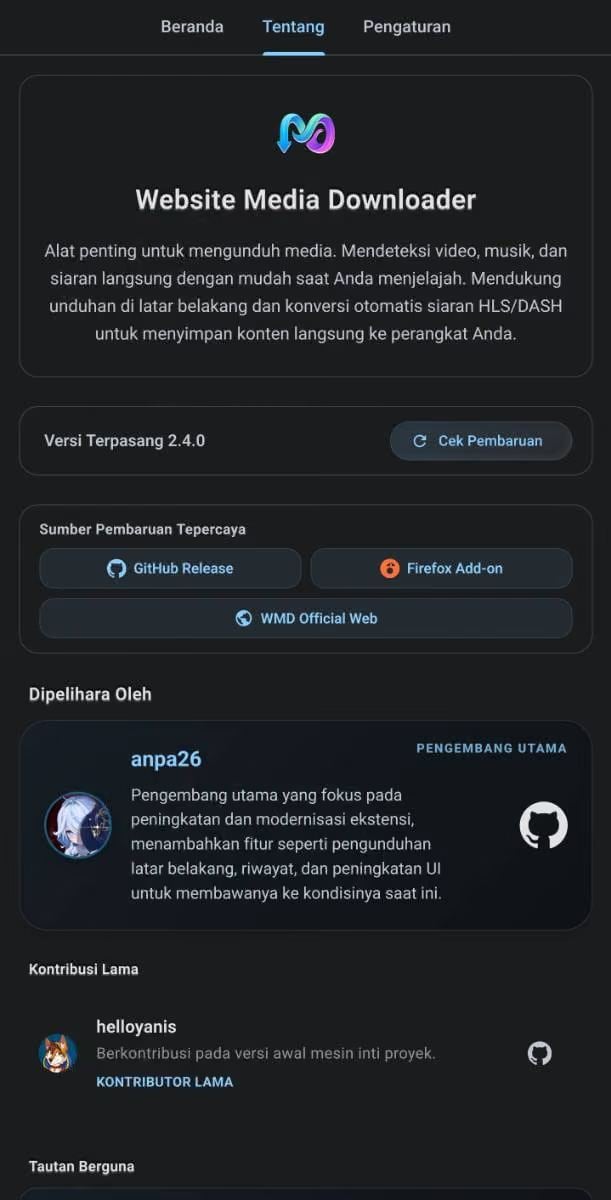
Have you ever found yourself wanting to save a video, an intriguing audio clip, or a specific image from a webpage, only to realize it is far from straightforward? That is exactly the frustration I aimed to solve with Website Media Downloader. This free browser extension builds upon an existing open-source project, evolving into a robust tool for automatically detecting and downloading various media types directly from web pages. Whether it is standard video, audio, images, subtitles or even complex HLS and DASH streams, I have brought everything into one intuitive interface. No more manual URL copying or relying on external services. Just browse, and let the extension handle the heavy lifting of uncovering those hidden media assets for you.
Why Website Media Downloader?
I have continuously improved Website Media Downloader, building on its open-source roots, to tackle the common frustrations we all face when trying to save web media. Here is what makes it, in my opinion, truly stand out:
- Automatic Media Detection: It intelligently monitors network requests and page structures, uncovering videos, audio, images, subtitles, files and even streams that are not typically exposed as direct download links.
- All Media in One Place: Any detected media is automatically categorized into Video, Audio, Streams, Images, Subtitles and Files, making it simple to find and manage what you are looking for.
- Direct Browser Download: You can download media without needing to open another website or service. Plus, if you have a direct file URL, you can manually add it using the “Add URL” feature.
- Privacy-Focused: All media processing happens locally within your browser. Website Media Downloader does not send your browsing history, media URLs or user history to any external processing servers. Your data truly stays with you, because your privacy is a top priority for me.
- Completely Free: This extension is available for free, with no subscription fees or hidden costs.
Key Features
I have combined existing functionality with continuous development and improvements, aiming to make media downloading as seamless as possible for you:
- Download Video: Detect and download various video formats directly from web pages.
- Download Audio: Save detected audio files or extract audio from available media.
- Download Images: Find and save images, including assets embedded deep within complex page structures.
- HLS & DASH Streaming Support: Website Media Downloader can recognize HLS (M3U8) and DASH (MPD) streams, acquire media segments and process them locally.
- Stream to MP4 Conversion: Streams can be merged and converted into MP4 videos for easier offline playback. If automatic conversion fails, a TS fallback and manual TS to MP4 conversion are available.
- Speed Boost: For supported downloads, Website Media Downloader can split data retrieval into up to 16 parallel connections, optimizing your available bandwidth.
- Background Download: Downloads continue even if the extension popup is closed, ensuring your progress is not interrupted.
- Batch Download: Select multiple media items at once to download or remove them efficiently.
- QR Code Sharing: Generate QR codes for detected media links, making it easy to open them on other devices.
- Search & Filtering: Search media by file name, URL, hostname or page title. Results can also be grouped by media type.
- Download History: Keep a record of previously downloaded media for easy access.
- Auto Download: Configure Website Media Downloader to automatically download media that matches your predefined settings. You can specify allowed domains, media quality, media types or even keywords to skip.
Advanced Media Detection
To maximize the chances of finding media across diverse website structures, I have implemented multiple detection methods:
- Detection via URL: Identifies media based on URLs appearing during page interaction.
- Network Traffic Detection: Monitors network requests in real-time to find media files and streaming manifests.
- Server MIME Detection: Analyzes the MIME type from server responses to help identify media without clear file extensions in their URLs.
- Deep DOM Scanning: Examines HTML elements, custom attributes, HTML5 media elements and dynamically loaded content.
- CSS Analysis: Detects image assets used through page styles, including background images.
Handling Modern Streams
Modern streaming is rarely a single, complete video file. Instead, media is often divided into many small segments loaded progressively. I built Website Media Downloader to specifically handle these complexities, building upon existing stream-handling functionality to detect these structures, acquire the necessary segments and reconstruct them locally on your device.
- HLS (M3U8): Supports both master and media playlists, allowing you to select variants based on available quality.
- DASH (MPD): Analyzes DASH manifests to identify available video and audio adaptation sets.
- Parallel Acquisition: Multiple segments can be retrieved simultaneously, speeding up the reconstruction process.
Speed Boost
My Speed Boost feature is designed to accelerate your downloads by utilizing multiple parallel connections. For standard files like MP4 or MP3, it can split the file into several parts using HTTP Range Requests, provided the server supports it. For HLS and DASH, multiple stream segments can be acquired concurrently. Speed Boost supports up to 16 parallel connections and intelligently reverts to standard download methods if the server does not support partial content. I primarily use this feature for files larger than 2 MB to ensure efficient use of multiple connections.
Granular Control Over Detected Media
I have included comprehensive detection settings in Website Media Downloader to give you granular control over which media appears in your lists. You can easily choose whether the extension should display videos, audio, streams, images, subtitles or general download links. Specific domains can be entirely skipped, and keywords like “trailer” or “promo” can be used to filter out unwanted results. Duplicate media items can also be automatically hidden to keep your list clean and manageable.
Download Settings
To fine-tune your download experience, the extension includes various settings:
- Download Method: Select the download mechanism best suited for your browser and device.
- Media Cache: Media data can be temporarily stored, allowing subsequent downloads to start faster without re-requesting data from the website.
- Stream Quality: Choose the desired stream quality when multiple options are available.
- Subtitle Conversion: Configure how subtitles are processed when media is downloaded.
- Filename Template: Define an automatic file naming pattern using information like title, hostname, date, time or media name.
Video & Audio Processing
Website Media Downloader provides several powerful media processing options, all handled directly within your browser:
- Fix MP4: Adjusts MP4 files to only contain the actually downloaded quality, improving playback compatibility.
- Merge MPD Audio & Video: Separately available DASH video and audio can be merged into a single MP4 file.
- Mux Audio Tracks: Multiple audio tracks can be combined into one video if available.
- Embed Subtitles: Subtitles can be embedded into media files in supported formats.
- Convert Audio to MP3: Extracted audio can be automatically converted to MP3, with bitrate options up to 320 kbps.
- Save Stream as MP4: Streams can be saved as MP4 for easier use across various devices.
- Manual TS to MP4: Downloaded MPEG-TS files can be manually converted to MP4 via the Settings.
Optimization for Various Devices
I have ensured Website Media Downloader supports both desktop and Android through compatible browsers. For those with devices that have limited capabilities, an “Optimize for low-end devices” option is available to reduce CPU usage and skip certain media types. You can also limit the number of displayed media items and set a minimum file size to reduce irrelevant results, giving you a smoother experience.
Notifications
Website Media Downloader keeps you informed with notifications when new media is detected, and when downloads start or complete. Progress notifications are also available for audio, streams and ZIP downloads, allowing you to easily monitor background processes.
Customizable Interface
I designed the extension’s Material Design 3 interface to provide a comfortable and intuitive experience, even with its extensive features. You can choose between Collapsible, Sidebar or Tabs layouts for the Settings. The interface size is adjustable via UI Scale, and you can select from Auto, Light, Dark and Pitch Black themes, along with accent colors to personalize the look and feel.
Multi-language Support
Website Media Downloader is designed for a global audience, which is why it is available in 9 languages:
- English
- Bahasa Indonesia
- Deutsch
- Français
- Português
- 日本語
- 한국어
- العربية
- Русский
Built-in Network Speed Test
I have even included a built-in Network Speed Test, so you can check your connection’s download and upload speeds without ever leaving the extension.
How to Use
Getting started with Website Media Downloader is straightforward:
- Open a website containing the media you wish to save.
- Website Media Downloader will automatically detect media in the background.
- Click the extension icon to open the media list.
- Select the desired category: Video, Audio, Streams, Images, Subtitles or Files.
- Browse for the media you want or use the search function to narrow down results.
- Press the download button on the media item you wish to save.
- For multiple files, use multi-select and initiate a batch download.
- If you already have a direct URL, use the “Add URL” feature to start a manual download.
Supported Formats
Website Media Downloader supports a broad range of media formats, ensuring compatibility with most web content:
- Video: MP4, MKV, WebM, AVI, MOV, FLV, TS, M4V, 3GP, MPEG, MPG, VOB, VP9, DIVX, M2TS, M4S, OGV, MXF, RM, SWF and many other video formats.
- Audio: MP3, AAC, FLAC, WAV, OGG, M4A, OPUS, AC3, ALAC, APE, DTS, M4R, WMA and many other audio formats.
- Streams: M3U8 (HLS), MPD (DASH), F4M (HDS), ISM/ISML, F4F and SMIL.
- Images: WebP, PNG, JPG, JPEG and GIF.
- Subtitles: VTT, SRT, ASS, SSA, TTML and DFXP.
- Files: ZIP, RAR, 7Z, TAR, GZ, APK, PDF, EPUB, DOCX, XLSX, PPTX and many other file formats.
Security and Privacy
For me, security and privacy are paramount. Website Media Downloader emphasizes this through local media processing and browser-based storage:
- Local Processing: Media merging, conversion and stream processing happen on your device.
- Zero Telemetry: The extension does not send browsing history, media URLs or user history to external analytics or processing servers.
- Local Storage: Extension configurations are stored locally within your browser.
- No External Processing Servers: Website Media Downloader does not rely on external servers to process the media you download.
Browser Support
Website Media Downloader is available for Firefox Desktop, Firefox Android, Chrome and other compatible Chromium browsers. I recommend desktop use for the best performance, especially when you are performing stream reconstruction, media conversion, parallel downloads and large batch downloads.
Limitations
It is important to understand that not all media on the internet can be downloaded. Content protected by DRM or certain encryption systems is not supported. Download success can also depend on the source server’s configuration, access permissions, session status, media format and the capabilities of your browser. As the developer, I want to remind you that users are responsible for ensuring their use of Website Media Downloader complies with the terms of the source website and all applicable laws and regulations.
About Website Media Downloader
Website Media Downloader is my continued development and rebranding of an existing open-source browser extension. I built upon the original project’s foundation, relentlessly working to improve media detection, download performance, stream processing, interface usability and customization. From detecting a simple image to reconstructing complex HLS or DASH streams, I designed this extension to provide robust tools for handling web media locally on your device. Website Media Downloader is open-source and licensed under the GNU General Public License v3.0, building upon the foundational work of its original developer, anpa26, and the invaluable contributions from the open-source community.
Questions after reading?
Get a focused answer based on this article.
Tag: